
5 Lions Dance Demo Play Guide
The 5 Lions Dance demo uses virtual credits, so its displayed wins cannot be withdrawn as cash.
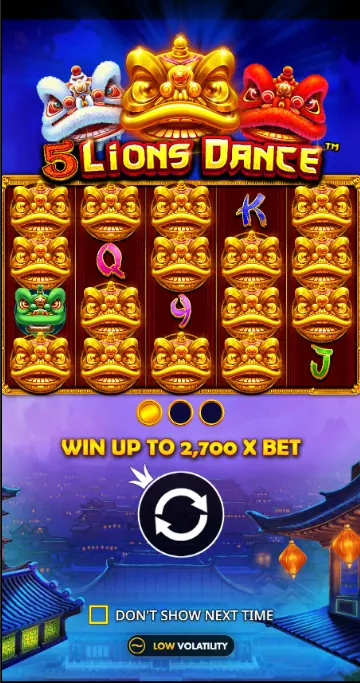
You can open the 5 Lions Dance demo in a Canadian browser without registering or making a deposit. Every credit is virtual: the figures on screen demonstrate the slot’s mechanics, not real payouts. Use the demo to learn the reels, Total Bet, Scatter, Free Spins and Autoplay before deciding whether the game suits your session style. It does not model your personal odds or guarantee a casino result.
Start the 5 Lions Dance Demo
Open the slot page and wait for the game window to load. When the reels appear, press Spin for a practice round; no account or balance top up is required, and the credits remain virtual. You can also switch to full screen if you want a larger view.For the game details, visit the 5 Lions Dance overview.
Read the Demo Interface
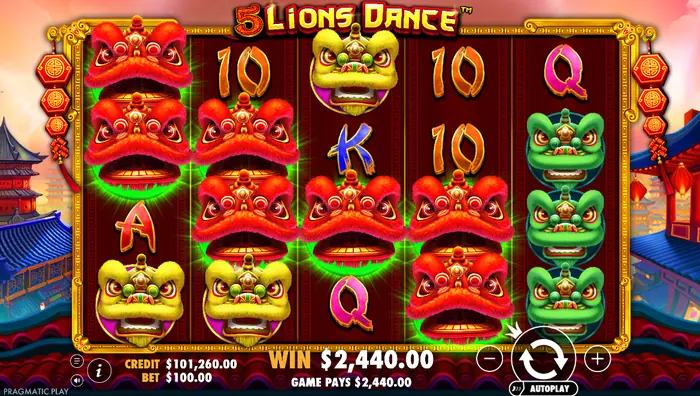 The reels sit at the centre, with the result area and controls around them. Here is what the main controls do:
| Credit | Your virtual demo balance |
| Total Bet | The amount assigned to one spin |
| Plus and minus | Raise or lower the selected stake |
| Spin | Start the reels |
| Info | Open the rules and paytable |
| Sound | Turn music and effects on or off |
| Autoplay | Run a selected series of spins automatically |
When you are ready to explore real play, see the casino options.
Adjust Total Bet Before a Spin
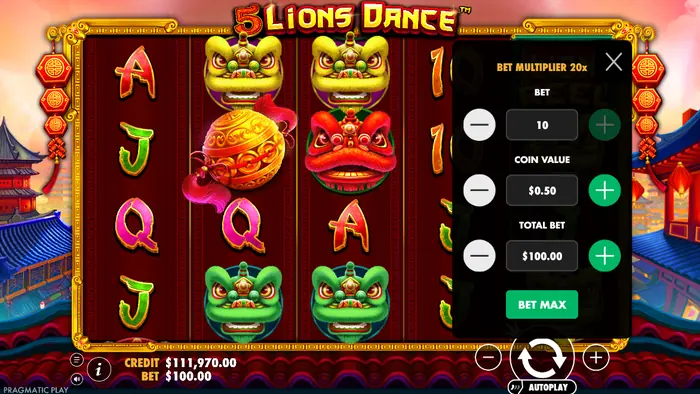 Use the plus and minus buttons beside Total Bet before starting the reels. In Canada, the stake display is set in CAD. The reference range is CAD 0.25 to CAD 300, and changing the selection changes both the virtual amount removed for a spin and the displayed payout scale. The demo credits themselves still have no cash value.
For general play planning, read our strategies.
Stop Spins, Sound and Full Screen
Press Spin again when the interface allows a manual stop, or use the on-screen control to end the current animation. The speaker icon controls music and sound effects; the full-screen button expands the play area. On a mobile device, animation smoothness can change with browser and device performance, so a brief delay does not represent a different game result.What to Test in the Free Version
A short demo session lets you inspect the game before using a licensed Canadian operator. You can:- check the reel speed and overall session pace;
- identify the lion and letter symbols;
- practise changing Total Bet;
- watch for Scatter on reels 1, 2 and 3;
- see how bonus screens and win messages appear.
Reels, Symbols and Winning Ways
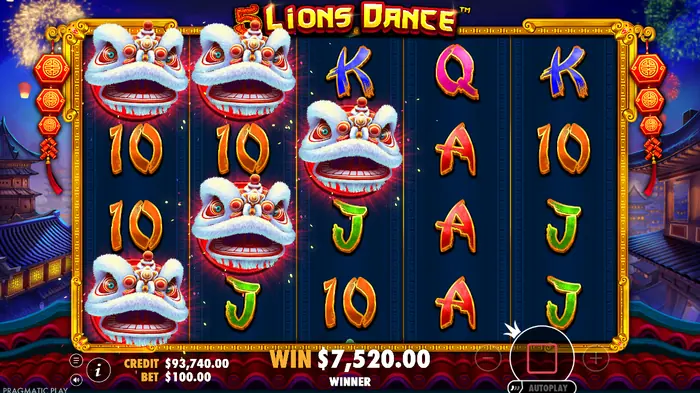 5 Lions Dance uses 5 reels and 4 rows, with 1024 Ways to Win. Wins form from matching symbols on adjacent reels, starting from the left, and the display includes lion heads, letter symbols and WILD. WILD substitutes for regular symbols but not Scatter or Lion Reel, and it appears on reels 2 through 5. The theoretical RTP is 96.50%, and the game is classified as high volatility, with a maximum win of 2700× the stake. The paytable figures are scaled to the selected bet, so treat any demo amount as a display of the mechanic rather than a cash forecast.
Regular Wins and Cascades
When a winning combination lands, the game highlights it and shows the virtual win amount. If the cascade feature is active, those winning symbols disappear, new symbols drop into the empty spaces, and another combination may form in the same spin. One press of Spin can therefore produce several consecutive calculations instead of a single settlement.Scatter and the Gong
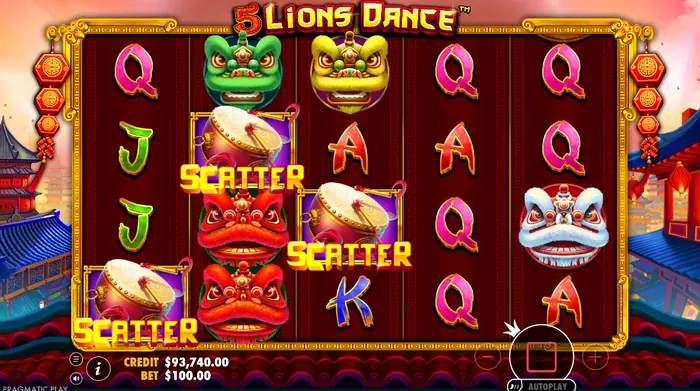 Scatter symbols can land on reels 1, 2 and 3. Three Scatters open the Free Spins feature and pay 1× the total bet; the bonus window then shows the awarded spins. A single Scatter, or two of them, does not promise that the next spin will trigger anything. Each spin is resolved independently.
The Free Spins Bonus Round
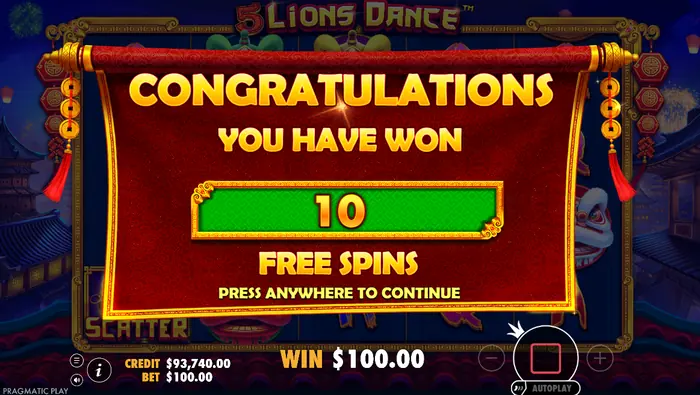 The bonus starts with 10 Free Spins. During the feature, each lion head that appears is paid first, then transforms into another randomly selected lion head and pays again according to that symbol’s value. Three Bonus symbols during the round award another 10 Free Spins without a stated limit. The special bonus reels and large win notices make the sequence easy to follow, but all displayed amounts in the demo remain virtual.
Recognize the Bonus Start and Finish
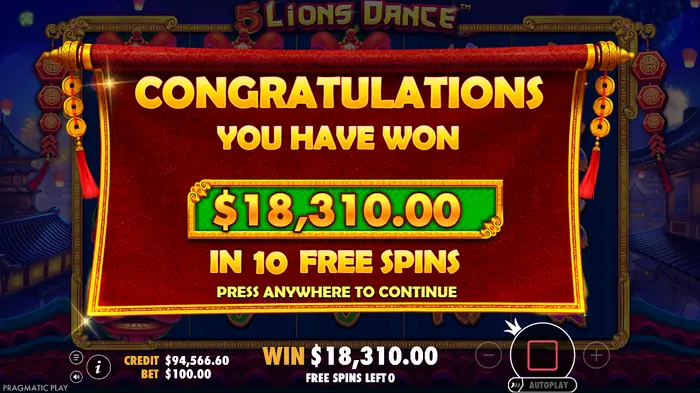 The message Congratulations marks the move into the feature and shows the number of Free Spins. During play, Free Spins Left tells you how many remain. Once the final spin is complete, the game opens the total payout screen, which records the virtual result of that bonus round.
Large Win Messages on Screen
Nice and Sensational are presentation messages that draw attention to a notable result. They change the way the win is displayed, not its underlying probability. A bright animation is never a typical or guaranteed outcome; if you later play for money in Canada, set a budget before the session and keep the demo’s results in perspective.Configure Autoplay in the Demo
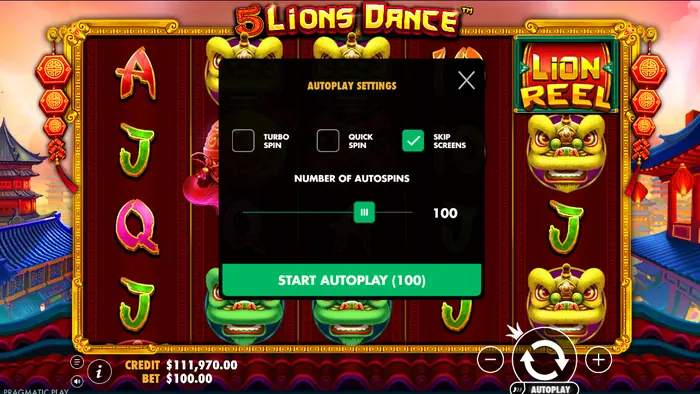 Open Autoplay and choose the number of automatic spins, then press Start Autoplay. Turbo Spin and Quick Spin change the pace, while Skip Screens automatically moves past introductory and closing feature screens after a short interval. Autoplay only removes repeated manual clicks; it does not improve the mathematical expectation or alter the odds. You can stop the sequence by pressing Autoplay again.
Limits of Demo Mode
The demo balance is fictional, so wins cannot be withdrawn or treated as income. Its spin history is not financial reporting, and the demo does not reproduce an individual player’s long-term result. Game access and some features can vary by browser and country, including Canada. Real-money play requires an operator licensed for the Canadian market and age verification; check that the operator accepts players in your province.18 Plus and Responsible Demo Use
The demo is for adults aged 18 and over, but trying a slot for free does not remove the risks of gambling. Canadian players should use a preset spending limit, never borrow to gamble, and stop when that limit or the planned session ends. If you move from practice to real play, confirm the operator’s Canadian availability, licensing information and responsible-gambling tools before depositing.FAQ
How do I play the 5 Lions Dance demo?
Open it in a browser, wait for the game to load and press Spin. No registration or deposit is needed; adjust Total Bet, sound or full screen if useful, and remember that every credit and payout is virtual for Canadian users.
What are Autoplay spins?
Autoplay runs a chosen series of spins without repeated presses of Spin. You can select the number of spins, use Turbo Spin or Quick Spin, and enable Skip Screens. It automates the controls but does not increase your chances of winning.
Can I win real money in the demo?
No. The demo uses conditional credits, so even a large displayed win is not a cash prize and cannot be withdrawn. It is useful for learning the reels, Scatter, Lion Reel Bonus and Free Spins, but it does not predict your personal financial result.
Are there restrictions on playing the demo in Canada?
Yes. The demo is intended for people aged 18 and over, and availability may depend on your browser, country or province. Real-money play additionally requires age verification and an operator authorised to serve players in Canada.