
Try 5 Lions Dance Free in Your Browser
The demo uses virtual credits only, so any displayed win cannot be withdrawn as real money.
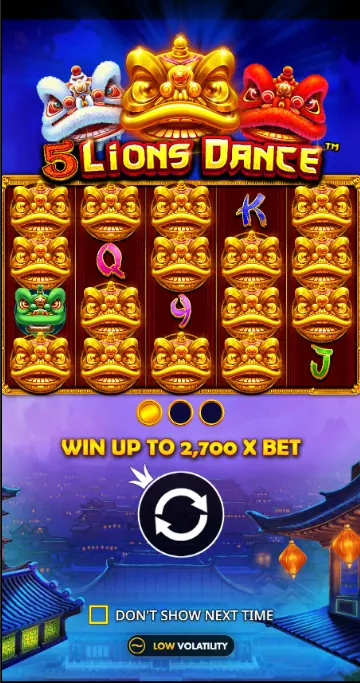
The 5 Lions Dance demo runs in your browser without registration or a deposit. You play with virtual credits, which lets Australian players explore the reels, stake controls, Scatter, Free Spins and Autoplay without risking money. The figures on screen demonstrate the game mechanics only; they do not become cash winnings or predict your personal result at a casino.
How to launch the 5 Lions Dance demo
Open the slot page and wait for the game window to load. Once it is ready, press Spin to try a round. No account or top up is needed, and the credits shown remain virtual throughout the session.For the wider game overview, visit Home.
If the game offers it on your device, switching to full screen gives the reels more room. Availability can vary by browser and country, including Australia.
Finding your way around the demo
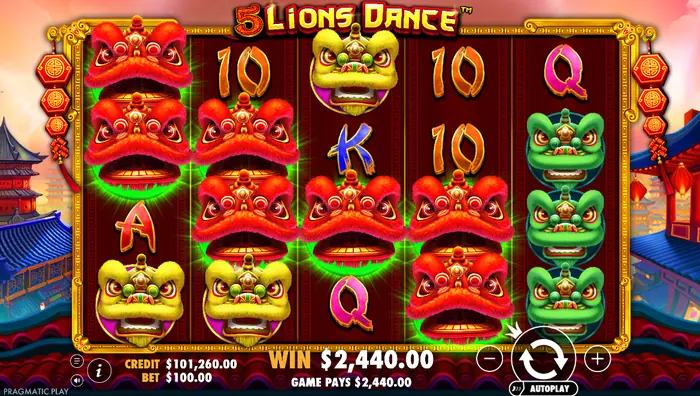 The reels sit in the centre of the screen, with the controls and status readouts around them. Here is what the main elements do:
| Credit | The virtual balance used for demo spins |
| Bet | Total Bet, meaning the amount assigned to one spin |
| Plus and minus | Increase or reduce the selected stake |
| Spin | Starts the reels |
| Info | Opens the rules and paytable |
| Sound | Turns music and sound effects on or off |
| Autoplay | Runs a selected series of spins automatically |
These credits and displayed payouts are part of the virtual Australian demo experience, not real Australian dollars. For real money options, see Casino.
Adjusting Total Bet before a spin
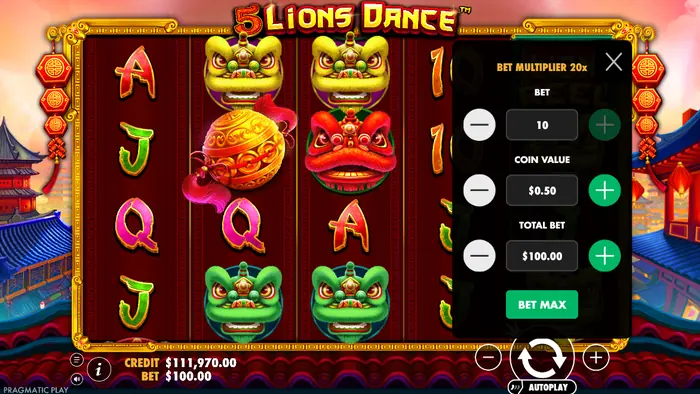 Use the plus and minus buttons beside Total Bet before starting the reels. Raising the stake changes the virtual amount deducted for that spin and scales the displayed payout values accordingly. The reference game supports stakes from $A0.30 to $A360.00, although the demo still uses credits rather than withdrawable funds.
For broader guidance on managing a session, read Strategies.
The bet menu can show the selected amount in Australian dollars, depending on the version and currency settings available to you.
Stopping spins, sound and full screen
Press Spin again when you want to stop the current animation manually; the keyboard Space and Enter keys can also start or stop a spin in the game rules. The speaker icon controls sound and music, while the full-screen button expands the play area. On a phone or tablet, animation smoothness depends on device performance and browser workload, so a slower presentation does not change the game result.What the free version lets you explore
A few demo spins are enough to learn how the slot feels before you decide whether to investigate it further. You can use the session to:- get a feel for reel speed and the pace of play;
- identify the lion masks, card symbols, WILD and Scatter;
- practise changing Total Bet in Australian dollars;
- watch for Scatter on reels 1, 2 and 3;
- see how the bonus screens and win sequence are presented;
- try the Autoplay controls without staking real money.
Demo results do not model your individual odds in a casino. A run of virtual wins cannot guarantee the same outcome for an Australian player using real money.
Reels, symbols and ways to win
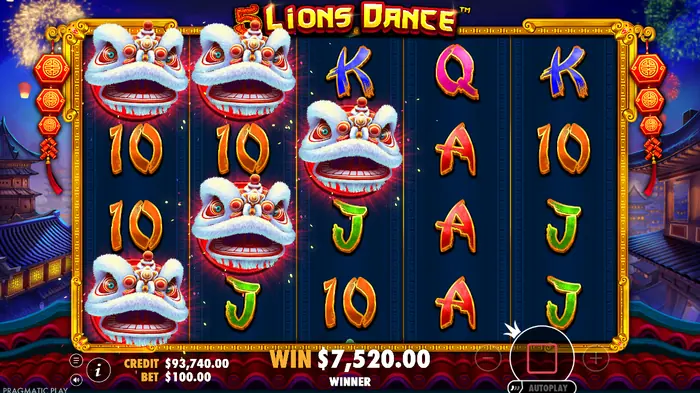 5 Lions Dance uses 5 reels and 3 rows, with 1024 Ways to Win. Wins are formed by matching symbols on adjoining reels from left to right, so a combination cannot skip over a reel. The screen shows lion heads alongside A, K, Q, J and 10 symbols; WILD appears on reels 2 to 5 and substitutes for other symbols except Scatter and LION REEL.
In a normal spin, winning symbols may disappear and new symbols can fall into the open positions. The theoretical RTP is 96.50%, the volatility is High, and the maximum win is 2700× the stake. These are game specifications, not a promise about any one demo session.
Regular wins and cascading play
When a winning combination lands, the game highlights it and shows the corresponding virtual amount. If the cascade feature is active, those winning symbols are then removed; symbols above drop down and new ones fill the gaps. A single spin can therefore show several consecutive win calculations before the reels settle.Scatter and the gong symbol
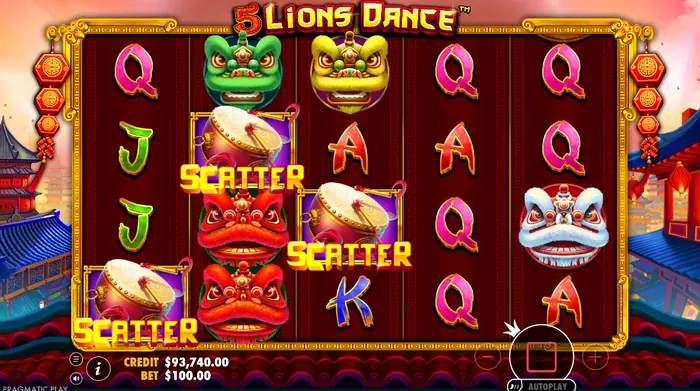 Scatter can appear on reels 1, 2 and 3. Three Scatter symbols trigger the Free Spins feature, which starts with 10 free spins and opens the bonus display. One Scatter on its own does not activate the round, and seeing it does not promise that the next spin will contain another one. Each spin is resolved separately.
The Free Spins bonus round
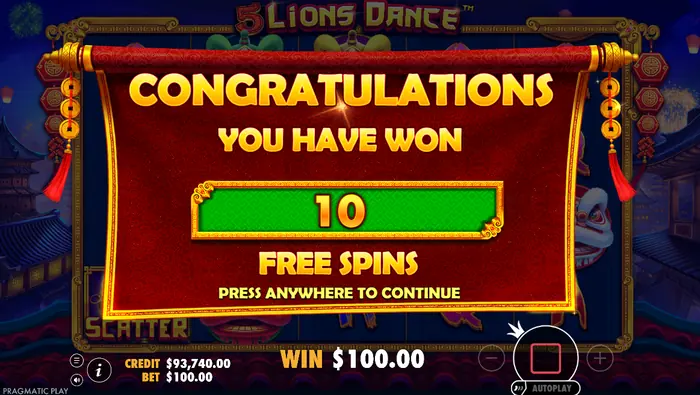 The bonus round begins with 10 Free Spins. During it, lion head symbols transform into another randomly selected lion head after the initial win is paid, then pay again according to the new symbol. Three BONUS symbols during the feature award another 10 free spins, with no stated limit. The Lion Reel Bonus is separate: three LION REEL symbols on reels 3 to 5 trigger a single expanded reel on reels 1 and 2, which awards a random multiplier from 5× to 200× of Total Bet.
Any amounts shown in the bonus are virtual demo values and cannot be withdrawn in Australia or anywhere else.
Recognising the start and finish of the bonus
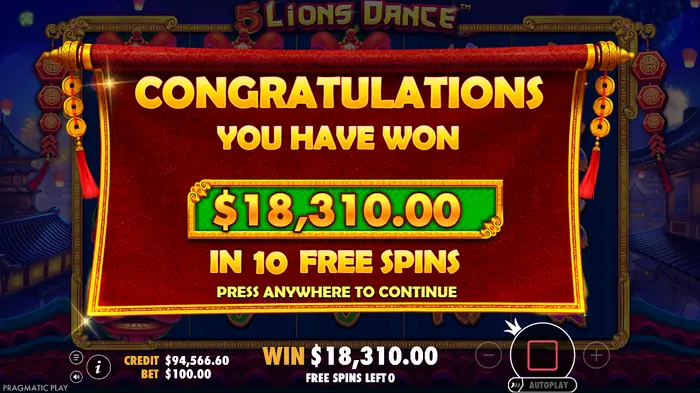 The opening message Congratulations announces the feature and its number of spins. During play, Free Spins Left tells you how many turns remain. When the counter reaches the end of the round, the game displays the final total win window, making the bonus stages easy to follow.
What Nice and Sensational mean on screen
Nice and Sensational are presentation messages that draw attention to a sizeable displayed win. They make the result feel more dramatic, but they do not describe a typical payout or guarantee a future one. Treat a striking virtual total as part of the demo's presentation, not as evidence of your likely return in a real money session.Autoplay options in the demo
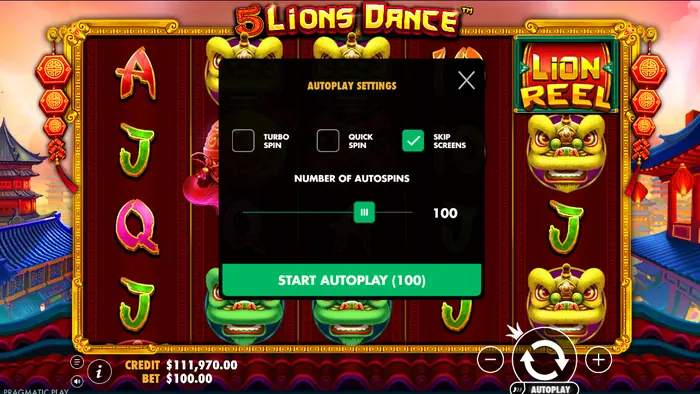 Open Autoplay and choose the number of automatic spins, then press Start Autoplay. Turbo Spin and Quick Spin change how quickly the sequence is shown, while Skip Screens automatically bypasses introductory and closing feature screens after a short interval. Press Autoplay again to stop the sequence.
Automation only removes repeated clicks or speeds up the display. It does not improve the mathematical expectation, RTP or chance of a win. For learning the controls, manual spins can be easier to follow.
Limits of the demo mode
The balance is conditional, winnings cannot be withdrawn, and the demo's spin history is not a financial record. It also does not reproduce an individual player's real money chances. Browser compatibility and country restrictions can affect whether the game or particular features load for Australian users.Real money play requires an operator that is legally available to you in Australia, along with any required age and identity checks. A technical fault may invalidate games and payouts under the game rules.
18 plus play and responsible use in Australia
The demo is for adults aged 18 and over, and exploring it does not remove the risks of gambling. If you are in Australia, check that any real money operator serves your state or territory and meets the relevant local requirements before you play. Never borrow to gamble; set a firm spending limit in Australian dollars before a session, keep the session within that limit and stop whenever you choose.FAQ
How do I play the 5 Lions Dance demo in Australia?
Open the game in a compatible browser, wait for it to load and press Spin. You do not need to register or deposit, and the credits and wins shown are virtual rather than withdrawable Australian dollars.
What are Autoplay, Turbo Spin and Quick Spin?
Autoplay runs a chosen number of spins without repeated presses of Spin. Turbo Spin and Quick Spin alter the presentation speed, while Skip Screens bypasses certain feature screens. None of these settings increases the chance of winning.
Can I win real money in the demo?
No. The demo uses conditional credits, so even a large total in a win window is not a cash prize and cannot be withdrawn. It is useful for learning the reels, Scatter, Free Spins and bonus controls, but it does not predict your personal real money result.
Are there restrictions on using the demo in Australia?
Yes. The demo is intended for people aged 18 and over, and access to the page or its features can depend on your browser and country. Real money play also requires checking that the operator is legally available to you in Australia and completing any required age verification.